懂我筆記本 KnowMeNote
懂我筆記本是一款簡單、安靜、拿起來就能用的文字筆記 App。它看起來像一個普通筆記本,但會在你日常書寫的過程中,慢慢學習你的用字習慣,讓常用的名字、詞語與固定說法越來越順手。
這不是一個需要複雜設定的寫作工具。打開 App,就可以直接開始寫。
你可以用它來寫草稿、整理想法、記錄逐字稿、先打好訊息或貼文,再一鍵複製到其他 App 使用。它適合那些「我只是想先把字打好」的時刻。
- 可用裝置
- iPhone / iPad
- 下載方式
- 免費下載
核心功能
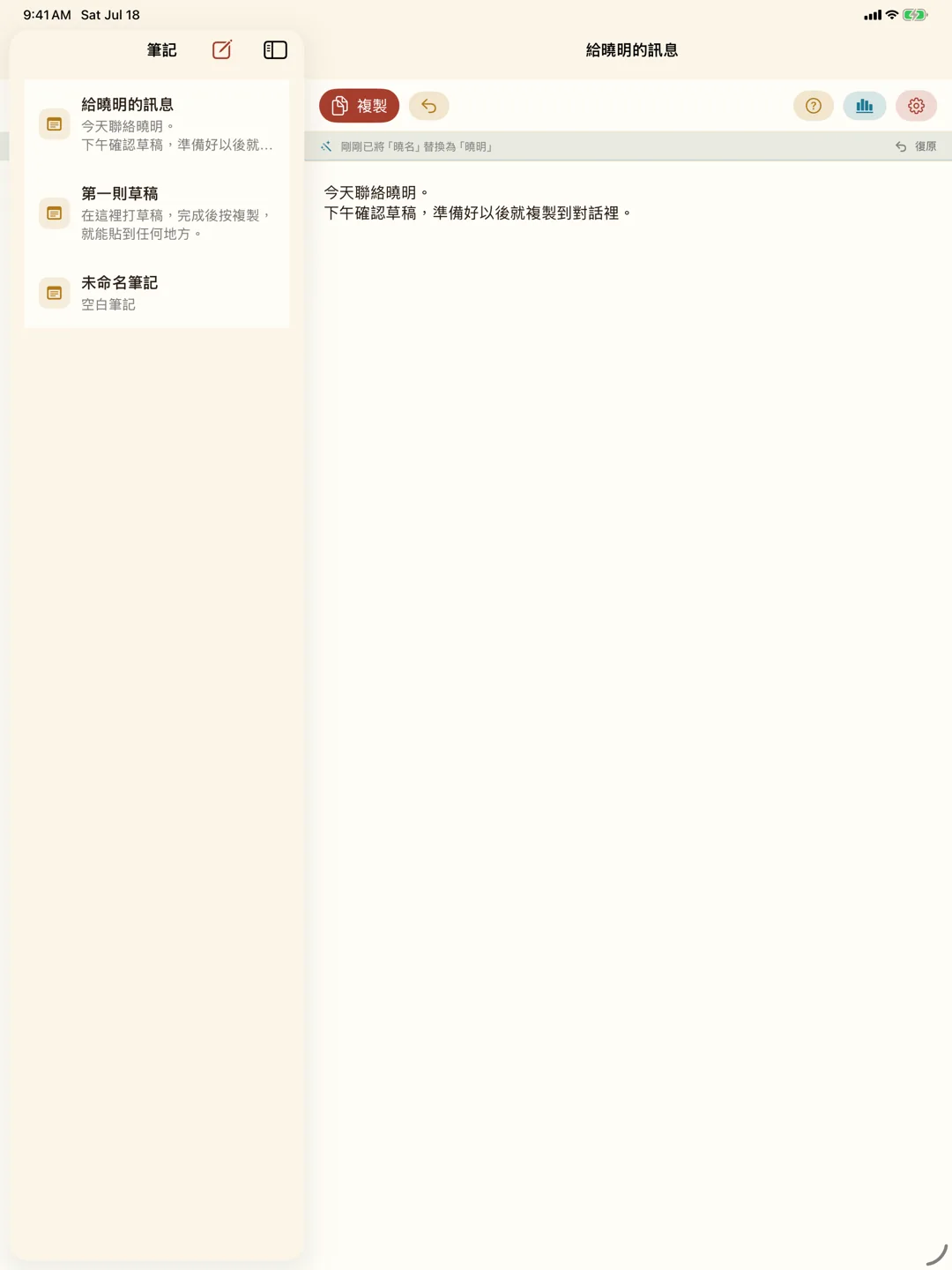
- 多則筆記:建立多則筆記,讓不同草稿、不同主題、不同想法分開保存,不需要全部擠在同一頁。
- 一鍵複製:先在懂我筆記本裡把文字寫好,完成後一鍵複製,再貼到訊息、社群、郵件或其他地方。
- 本機學習:App 會在裝置上學習你的文字偏好。當你常常把某個詞改成另一個詞,或常常修正某個名字,它會逐漸記住這個習慣。
- 自動替換與復原:當 App 有足夠把握時,可能會直接幫你自動替換文字。如果替換錯了,你可以立刻復原,這個復原動作也會成為學習訊號。
- 統計面板:查看已收錄的字詞數、今日輸入量、最近替換紀錄,以及目前已學會的偏好,讓學習過程更透明。
- 多種文字輸入:支援鍵盤輸入、貼上文字、聽寫,以及逐字稿類型的大量文字。
- 可選 iCloud 同步:可選擇是否透過 iCloud 在 iPhone 和 iPad 之間同步筆記與學習線索。不想同步時,也可以關閉 iCloud,資料會留在本機使用。
- 重置學習資料:可在 App 內清除已學會的偏好、替換紀錄與字詞統計,但不會刪除你的筆記內容。
設計理念
懂我筆記本的重點不是增加更多按鈕,而是減少你每次輸入時的小摩擦。
很多文字工具都試著變得更聰明,但也常常變得更複雜。懂我筆記本選擇相反方向:介面保持簡單,學習留在背後。你不用先設定規則,也不用教它術語,只要照平常的方式寫字、修正、復原,它就會慢慢理解你的習慣。
適合使用者
- 常常先寫草稿再貼到其他 App 的人
- 常需要修正人名、專有名詞或固定用語的人
- 想要簡單筆記本,但也希望它越用越懂自己的人
- 會使用聽寫或逐字稿整理文字的人
- 想要本機運算、少一點雲端依賴的文字工具使用者
隱私與資料
懂我筆記本的學習運算在裝置上進行,不需要開發者伺服器。
如果你啟用 iCloud 同步,筆記與學習線索會透過你的 iCloud 帳號在裝置間同步。原始輸入歷史不會作為額外紀錄同步。你也可以隨時關閉同步或重置學習資料。
KnowMeNote
KnowMeNote is a simple, quiet text notebook that is ready the moment you open it. It looks like an ordinary notebook, but as you write each day, it gradually learns your wording habits so frequently used names, terms, and fixed phrases become easier to type.
It is not a writing tool that asks you to configure a complicated system first. Open the app and start writing.
You can use it for drafts, ideas, transcripts, messages, or posts that you want to prepare before copying into another app. It is designed for the moments when you simply want to get the words down first.
- Devices
- iPhone / iPad
- Download
- Free download
Core Features
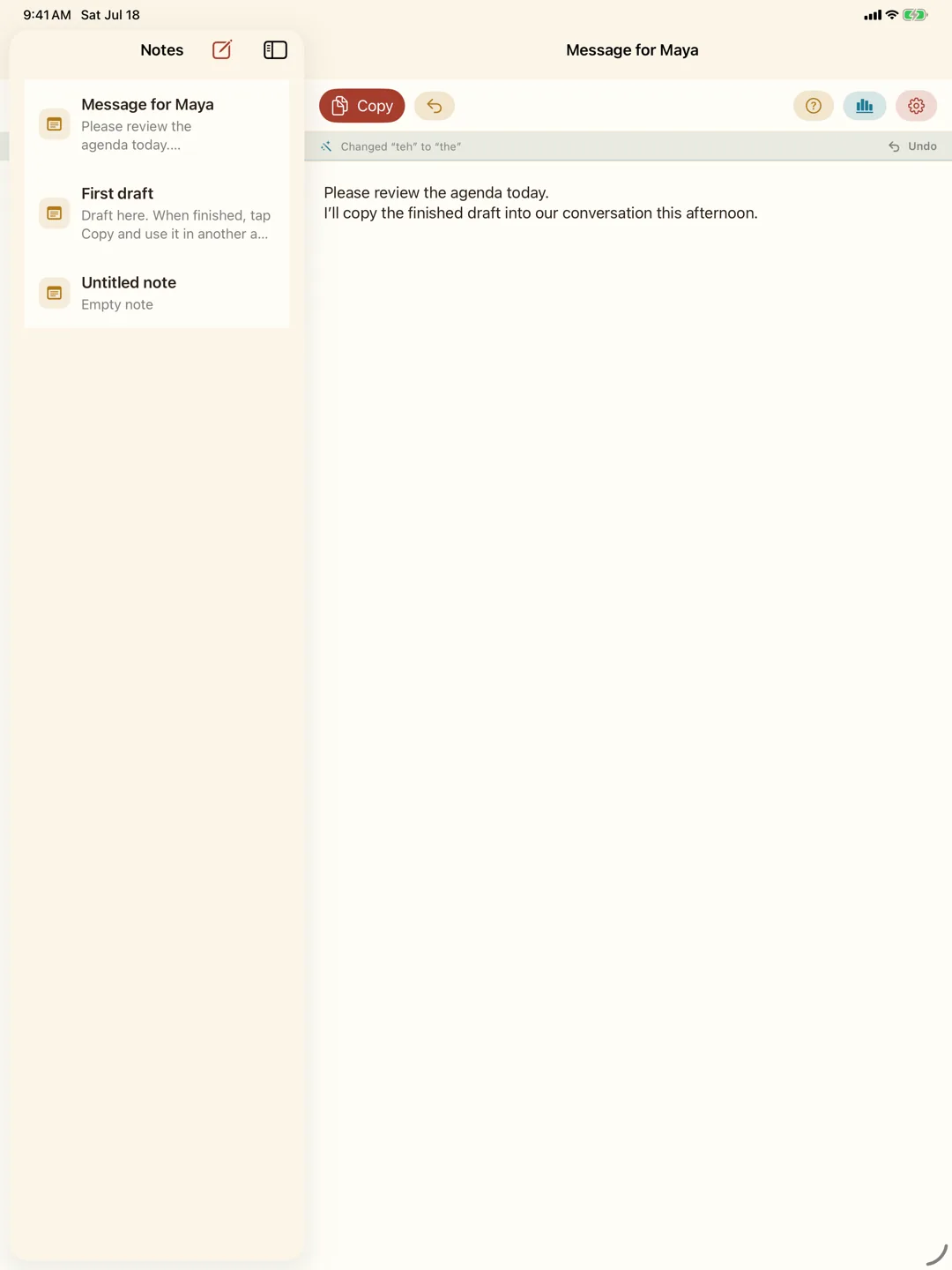
- Multiple notes: Keep different drafts, topics, and ideas separate instead of forcing everything onto one page.
- One-tap copy: Write text in KnowMeNote, then copy it with one tap and paste it into Messages, social apps, email, or anywhere else.
- On-device learning: KnowMeNote learns text preferences on your device. When you repeatedly change one word into another or correct a name, the app can gradually remember that habit.
- Automatic replacement and undo: When the app has enough confidence, it may automatically replace text for smoother input. If it gets something wrong, you can undo it immediately, and that undo becomes a learning signal.
- Statistics panel: See collected terms, today's input amount, recent replacement history, and learned preferences so the learning process stays transparent.
- Flexible text input: Use keyboard input, pasted text, dictation, or large transcript-style text with the same workflow.
- Optional iCloud sync: Choose whether notes and learning signals sync between iPhone and iPad through iCloud. If you do not want sync, you can turn it off and keep data local.
- Reset learning data: Clear learned preferences, replacement history, and term statistics without deleting your notes.
Design Philosophy
KnowMeNote is not about adding more buttons. It is about reducing the small friction that appears every time you type.
Many text tools try to become smarter and become more complex at the same time. KnowMeNote goes the other way: the interface stays simple while learning happens quietly in the background. You do not need to define rules or teach terminology first. Write, correct, and undo as usual, and the app slowly learns your habits.
Who It Is For
- People who often draft text before pasting it into other apps
- People who often correct names, specialized terms, or fixed phrasing
- People who want a simple notebook that gets more familiar over time
- People who use dictation or organize transcript-style text
- People who prefer on-device processing and less cloud dependency
Privacy and Data
KnowMeNote's learning runs on your device and does not require a developer-operated server.
If you enable iCloud sync, notes and learning signals may sync across your devices through your iCloud account. Raw input history is not synced as an additional separate record. You can turn sync off or reset learning data at any time.