 1.2 新版上架 · iPhone / iPad / Apple Vision Pro
佛堂
走進一處安靜的空間,讀懂眼前的一段經文。
從竹影、蓮院與石窟之間,找到今天想停留的地方。近看一件器物,了解它的來歷,再打開經文,對照原文與白話導讀,照自己的步調繼續讀下去。
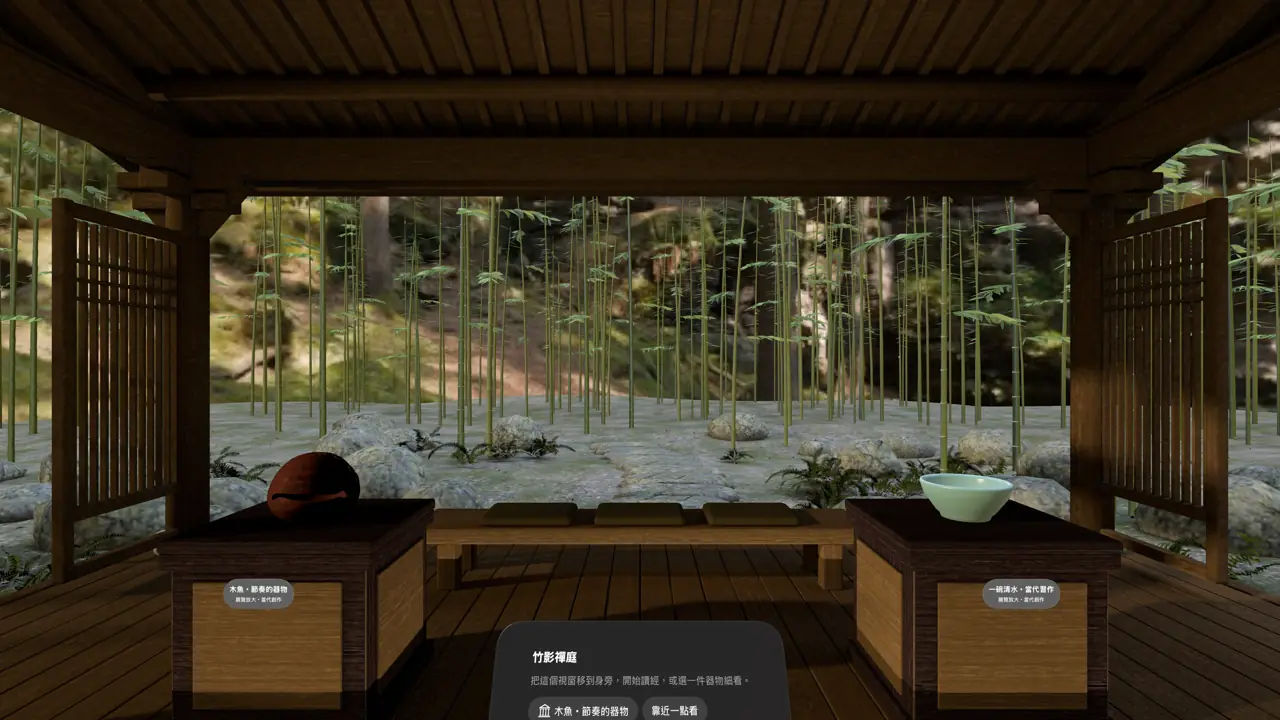
1.2 更新:探索五種空間,逐段讀經
2026 年 11 月 5 日上架。這次更新擴充主題環境與器物探索,也把原文、白話導讀及可用的讀音輔助放在一起。
- 五種主題環境:靜心佛堂、光庭・日常器物、竹影禪庭、月映蓮院與石窟光廊。
- 六篇經文,214 段導讀:每種支援語言都有完整對應原文的白話導讀,並保留上次的閱讀位置。
- 20 種語言:介面與白話導讀可切換語言,經典原文維持繁體漢文。
- 手機也能獨立探索:在 iPhone/iPad 查看環境、器物與經文,版面隨螢幕空間調整。
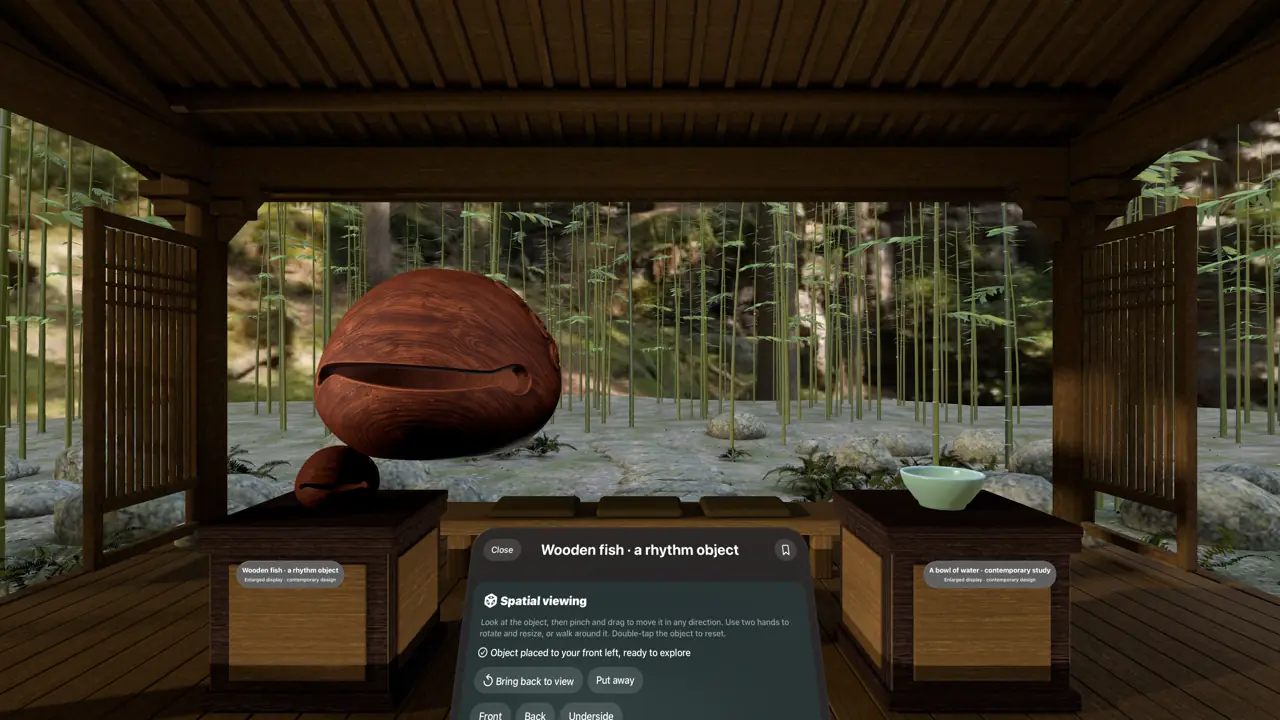
- Vision Pro 空間體驗:進入沉浸式環境,把器物移到面前,自由旋轉與縮放;在靜心佛堂透過 SharePlay 一起讀同一段經文。
- 可用裝置
- iPhone / iPad / Apple Vision Pro
- 下載方式
- 付費下載
iPhone/iPad 可獨立探索與讀經;沉浸式空間、器物自由移動與 SharePlay 共讀為 Apple Vision Pro 體驗。共讀僅限靜心佛堂。
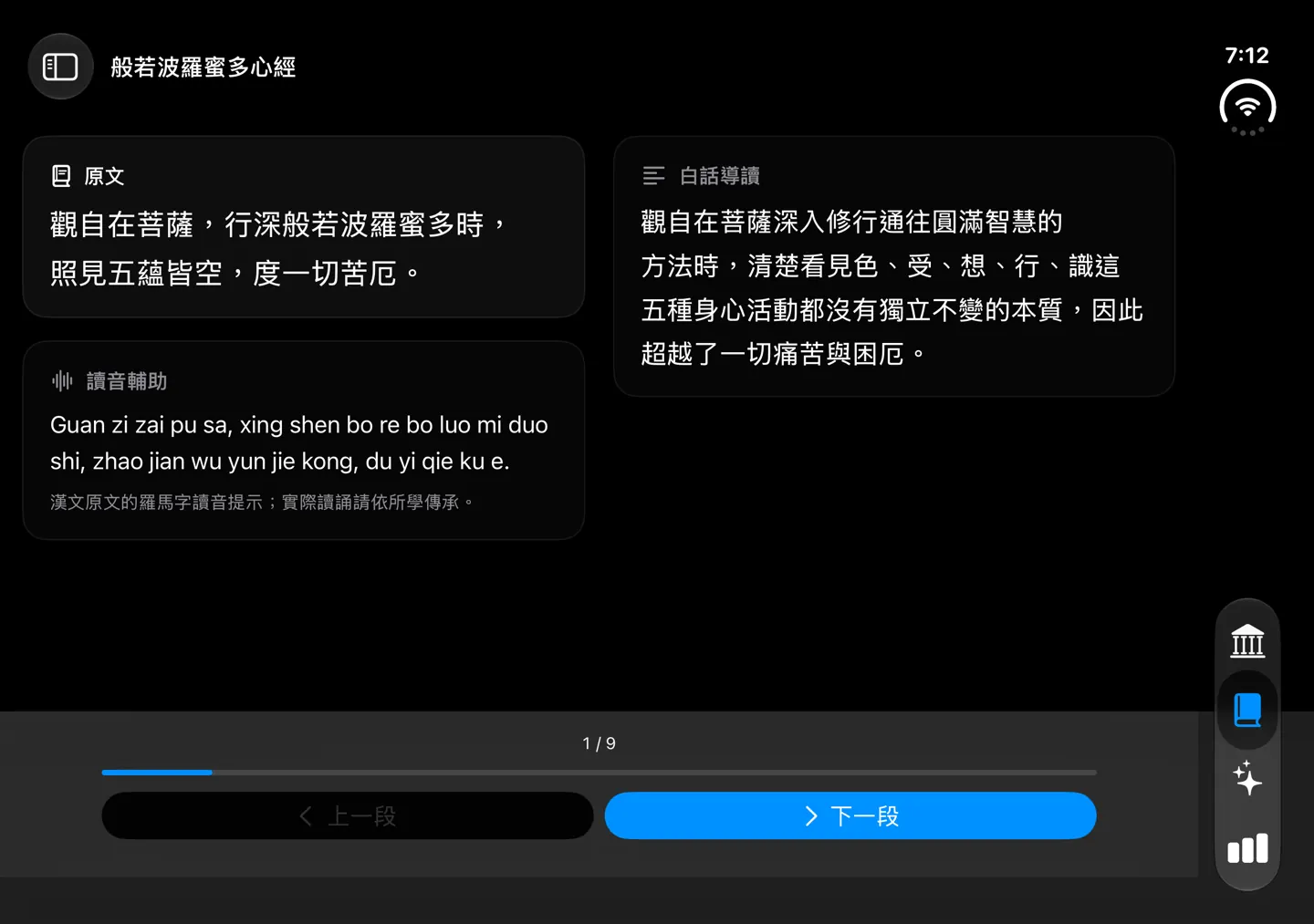
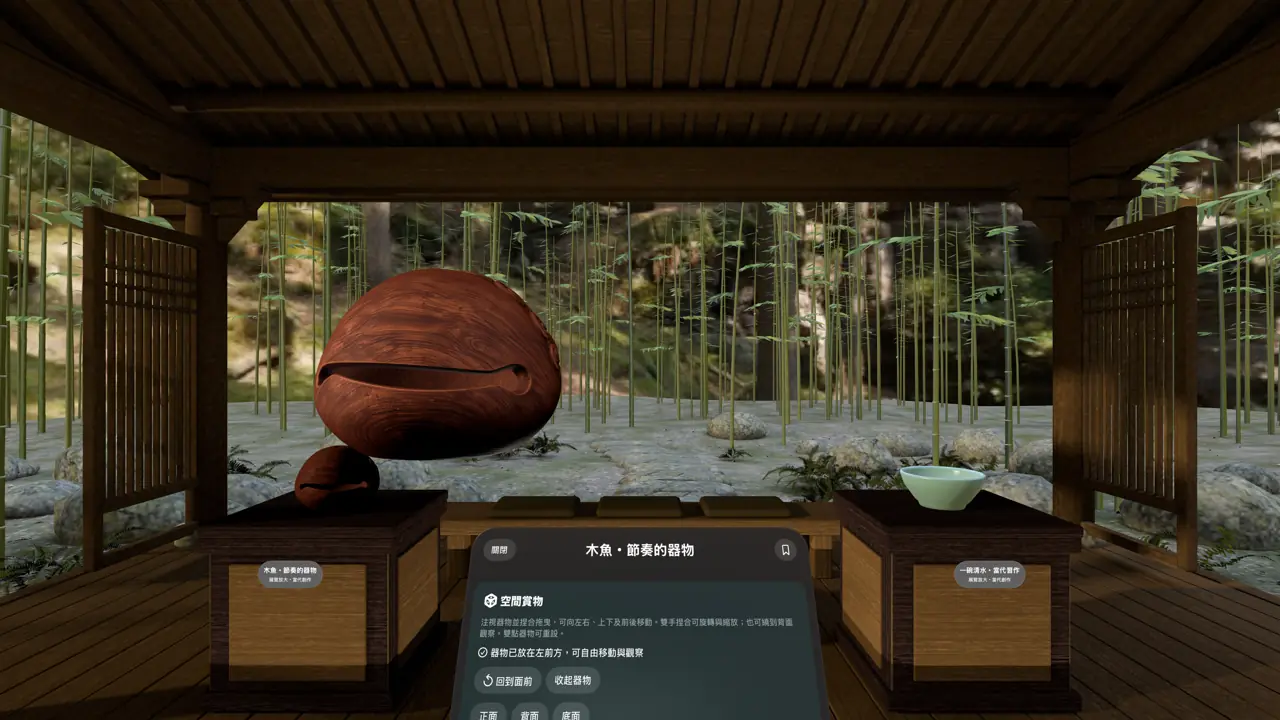
從探索,到閱讀,再留下一份心意
用熟悉的語言理解,保留經典原文
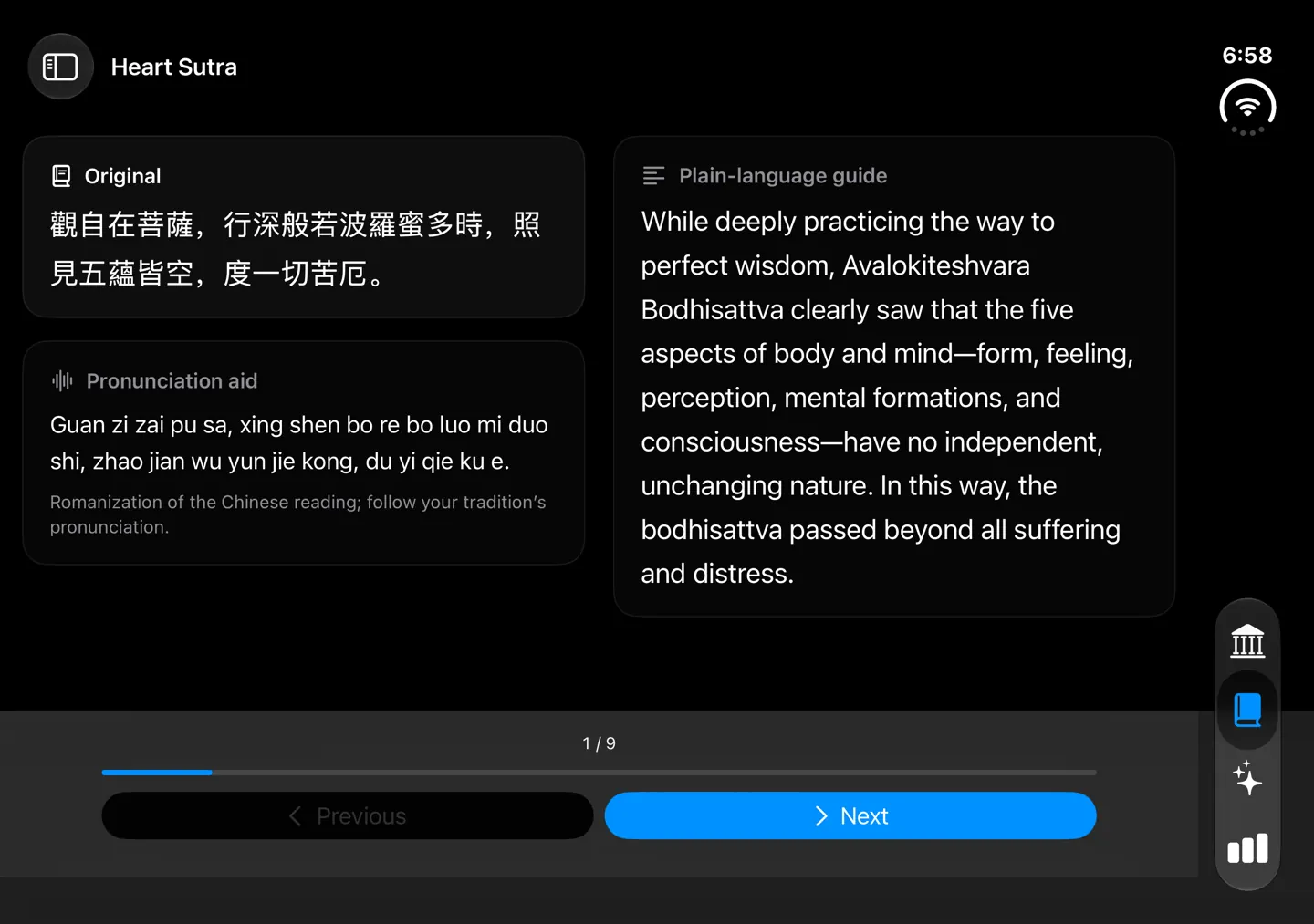
20 種語言支援涵蓋介面與白話導讀。經典原文固定使用繁體漢文,不會隨介面語言改寫。讀音輔助僅提供於《心經》《大悲咒》與觀世音菩薩聖號,以羅馬字提示漢文的中文讀音。
一起讀同一段,各自保留修習紀錄
Apple Vision Pro 的 SharePlay 共讀僅限原有的「靜心佛堂」。參與者跟隨同一段漢文,各自使用所選語言的白話導讀;個人的讀經紀錄、祈願與迴向內容不會分享給共讀者。
音樂與資料保存
可搭配本機音訊,或在授權後使用 Apple Music 搜尋與播放;Apple Music 內容依服務與訂閱狀態提供。未授權音樂存取,仍可探索與讀經。
佛堂不需要開發者帳號,也不提供 App 雲端同步。個人修習資料保存在裝置上;系統備份依裝置設定而定。更完整的保存、刪除與選擇性分享說明,請見隱私權政策。
VERSION 1.2 · iPhone / iPad / Apple Vision Pro
Buddha Hall: Quiet Spaces
Enter a quiet space. Take time with one passage.
Find a place to pause among bamboo, a moonlit lotus court, or a stone grotto. Look closely at an object and learn where it comes from, then return to a Buddhist text with an aligned guide in your language.
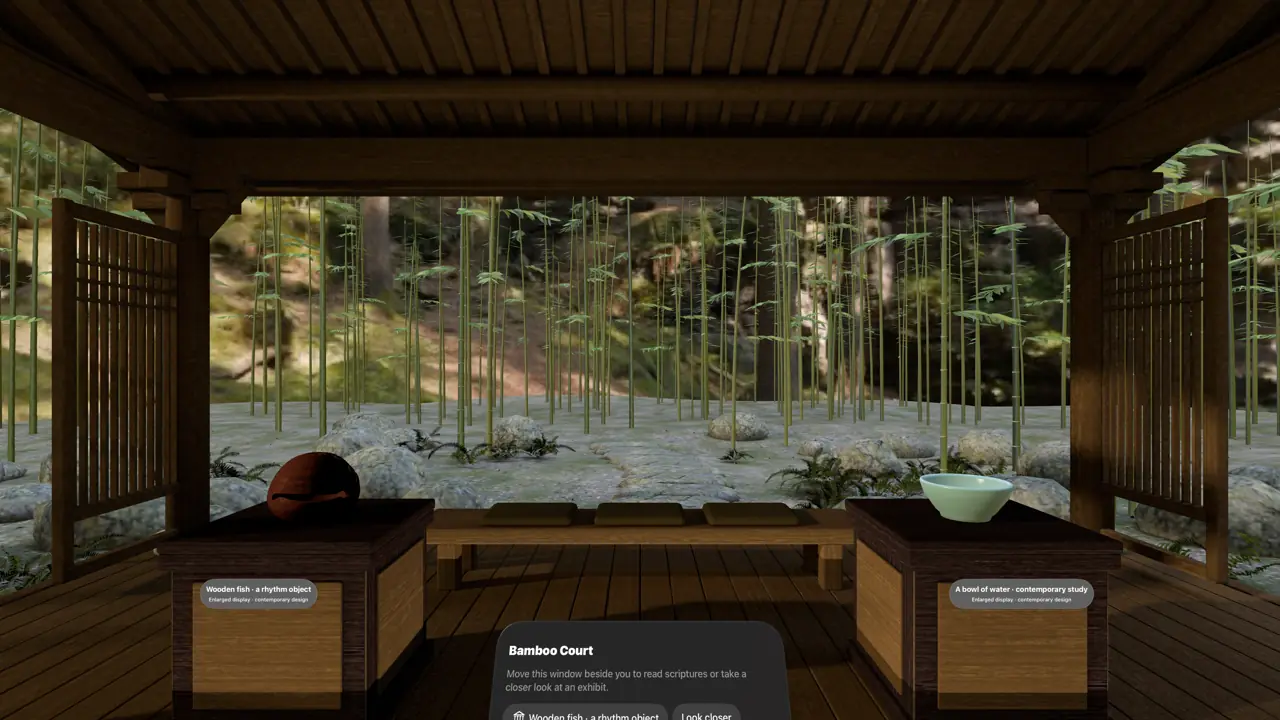
New in 1.2: five spaces and passage-by-passage reading
Released November 5, 2026. Explore more environments and objects, with the original text, guide, and available pronunciation aid presented together.
- Five themed environments: Quiet Sanctuary, Light Court · Everyday Objects, Bamboo Court, Moonlit Lotus Court, and Stone Grotto of Light.
- Six works, 214 passages: complete, aligned plain-language guides in each supported language, with your reading position saved.
- 20 languages: choose a language for the interface and guides. The original remains in traditional Chinese characters.
- Independent mobile exploration: explore environments and objects and read on iPhone and iPad, with layouts that adapt to your screen.
- Spatial experiences on Vision Pro: enter immersive environments and move, rotate, and resize objects. Read the same passage together with SharePlay in Quiet Sanctuary.
- Devices
- iPhone / iPad / Apple Vision Pro
- Download
- Paid download
Explore and read independently on iPhone and iPad. Immersive spaces, freely movable objects, and SharePlay reading are Apple Vision Pro experiences. Shared reading is limited to Quiet Sanctuary.
Explore, read, and leave a personal dedication
A familiar guide language, an unchanged original
The interface and plain-language guides support 20 languages. The classical original remains in traditional Chinese characters in every language. Pronunciation aids are available only for the Heart Sutra, Great Compassion Mantra, and Guanyin Invocation; they show the original’s Chinese pronunciation in Roman letters.
Share a passage, keep personal records private
SharePlay reading on Apple Vision Pro is available only in the original Quiet Sanctuary. Participants follow the same Chinese passage while using their own guide language. Personal reading records, prayers, and dedications are not shared with the group.
Music and local records
Play local audio or authorize Apple Music search and playback. Apple Music content depends on service and subscription availability. You can explore and read without granting music access.
No developer account is required, and the app does not provide cloud sync. Personal practice data stays on your device; system backups depend on device settings. See the privacy policy for details about retention, deletion, and optional sharing.